
One client. Every module. Anywhere.
The eConnect client is new from the ground up. It runs as a native Windows desktop application and, from the same build, in a browser.
Learn more
A manager can check the floor from a laptop in a back office with nothing to install, while the surveillance room runs the desktop app on the wall. Everything your property is licensed for appears in one navigator: cameras, cases, point of sale, face and license-plate recognition, baccarat, casino ratings, TITO, site maps, and usage reporting. Views dock and tear off, layouts persist per user, and light and dark themes are both first-class. A surveillance room and a corporate office are not the same room.
Every hour your team spends alt-tabbing between applications, or waiting for someone with the right software installed, is an hour not spent watching the floor. One client, one login, one place to look.
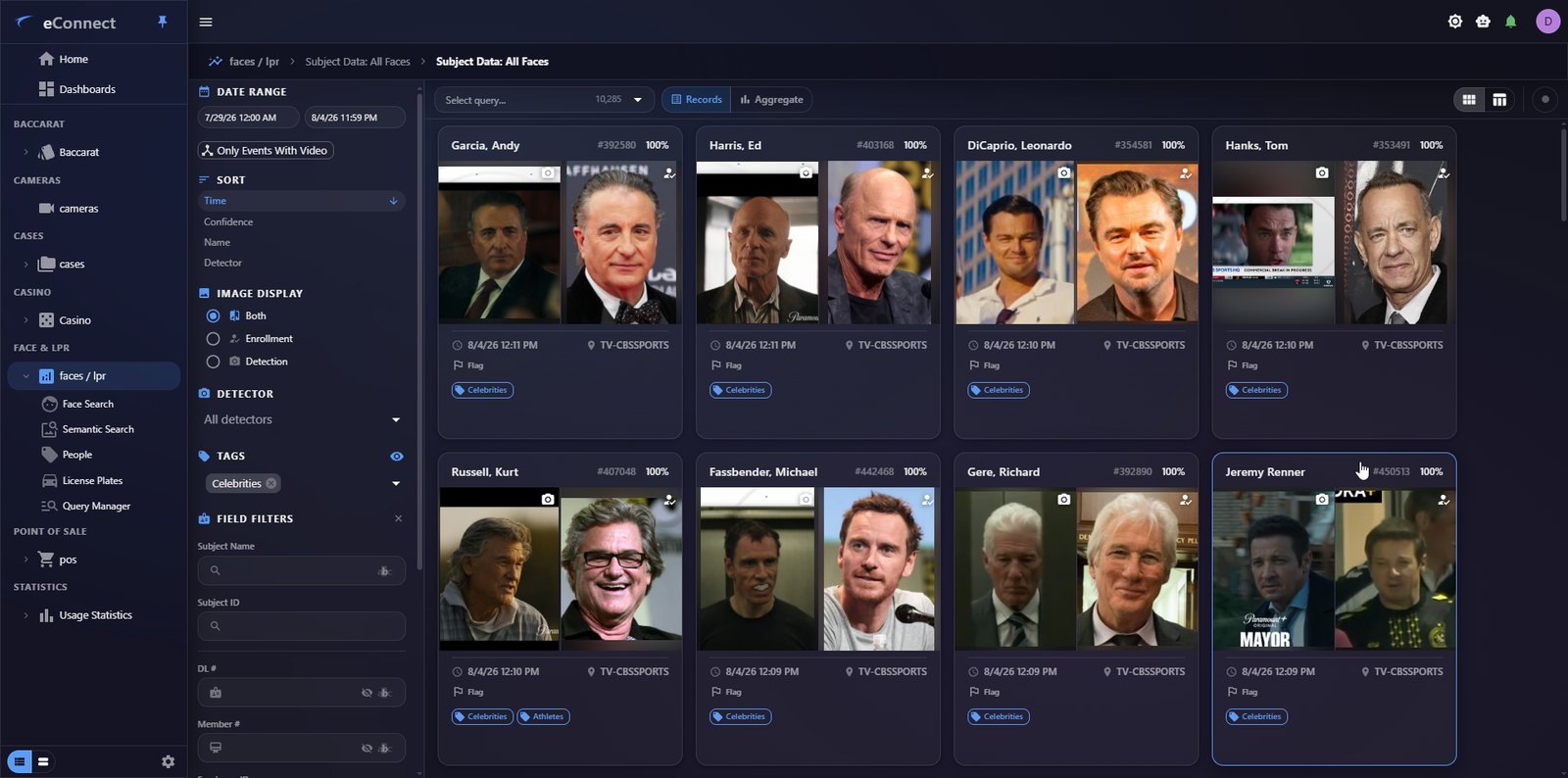
The headline feature: ask your data anything
Your property already collects everything. Now, instead of opening the right module and building the right query by hand, your team simply types the question.
Learn more
The hard part was never capture. It was that answering a simple question meant knowing which module to open, which query to build, and which columns to compare.
Ask “which cameras are actually producing detections this month?” and, instead of twenty minutes of building a query, grouping it, and cross-referencing a camera list by hand, the assistant queries the right modules, ranks the result, draws the chart, notes what is unusual about it, and offers the follow-ups you were about to ask. The answer arrives in under a minute.
- It draws, not just describes. Answers arrive as real interactive charts: bar, line, pie, donut, with the underlying table beneath them.
- Every chart is a door. Click a bar and the module opens, pre-filtered to exactly that segment and time range.
- It keeps the thread. Follow-ups build on the last answer, and sessions are saved. Reopen last Tuesday’s investigation exactly where you left it.
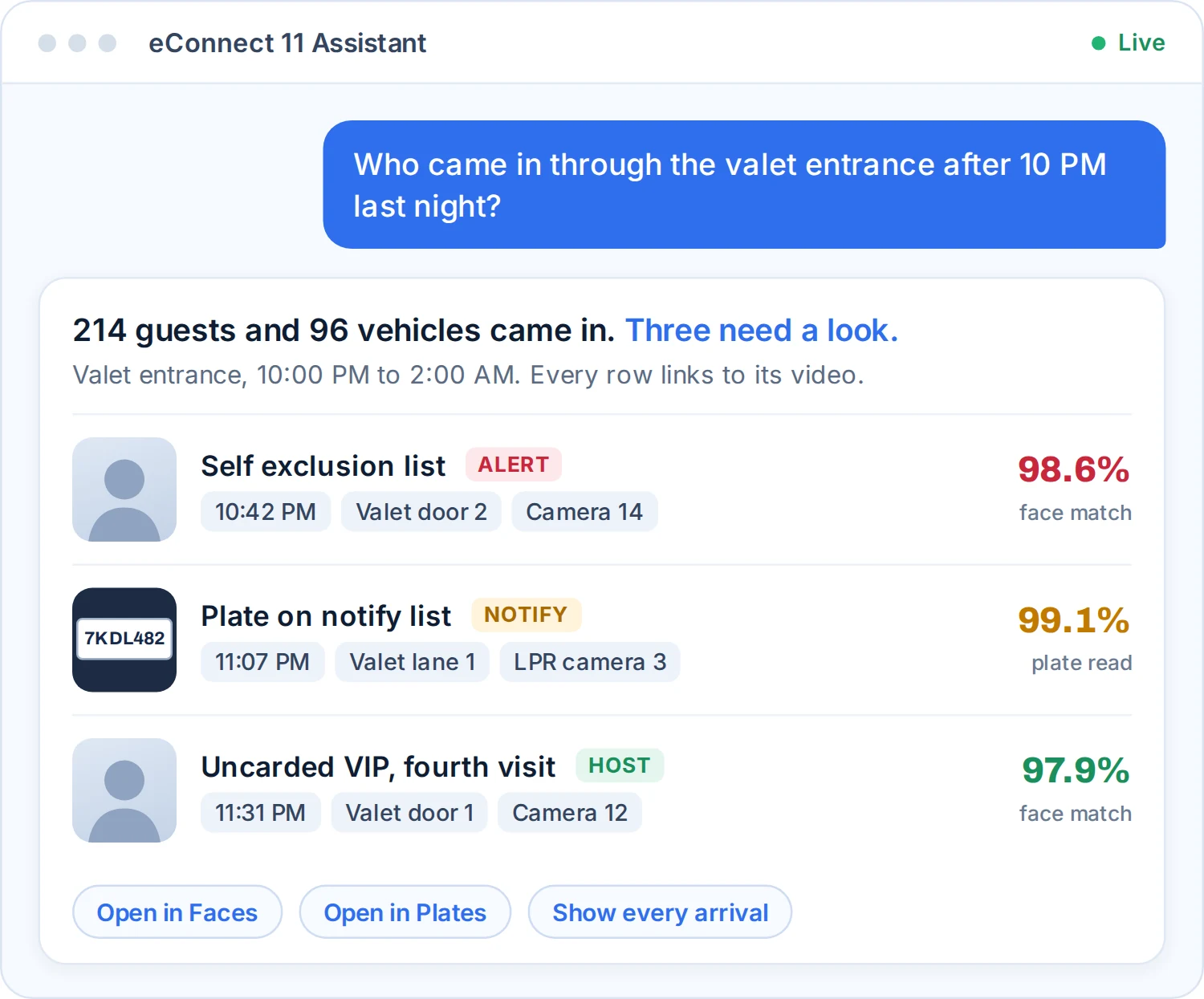
One question, every module
A single question can now cross every module at once, doing the correlation work nobody has time to do by hand.
Learn more
Point of sale, face recognition, license plates, casino ratings, TITO, baccarat, cameras, and user activity all sit behind the same conversation.
Questions your team can now ask:
- Summarize this month across every module I have access to.
- Which exception types are driving our discount volume?
- Show me every plate seen at the north entrance after midnight.
- Which tables had ratings activity but no bet sessions logged?
- Who has been logging into the system outside their shift?
- Build me a PDF of that and email it to the shift manager.
Ask for a report and you get one: eConnect branded, charts included, previewed in the chat before it leaves. Ask it to email and it sends through the server relay, from your own address, always behind an explicit confirmation.

It only ever sees what you can see
The assistant runs against the signed-in user’s own permissions.
Learn more
Tools for modules a user is not licensed or permitted for are not merely hidden from the answer. They are never offered to the model in the first place, so it cannot reach for them. Availability is controlled per permission group by your administrators, every session is recorded and quota-bounded, and camera credentials and secrets are stripped before anything leaves.
The rest of what changed
The assistant gets the attention, but these are the changes your team will feel every shift.
Learn more
- Identifying people: similar-face suggestions, server-side subject merge with conflict handling, bulk enrollment from a folder, connection graphs, and semantic search.
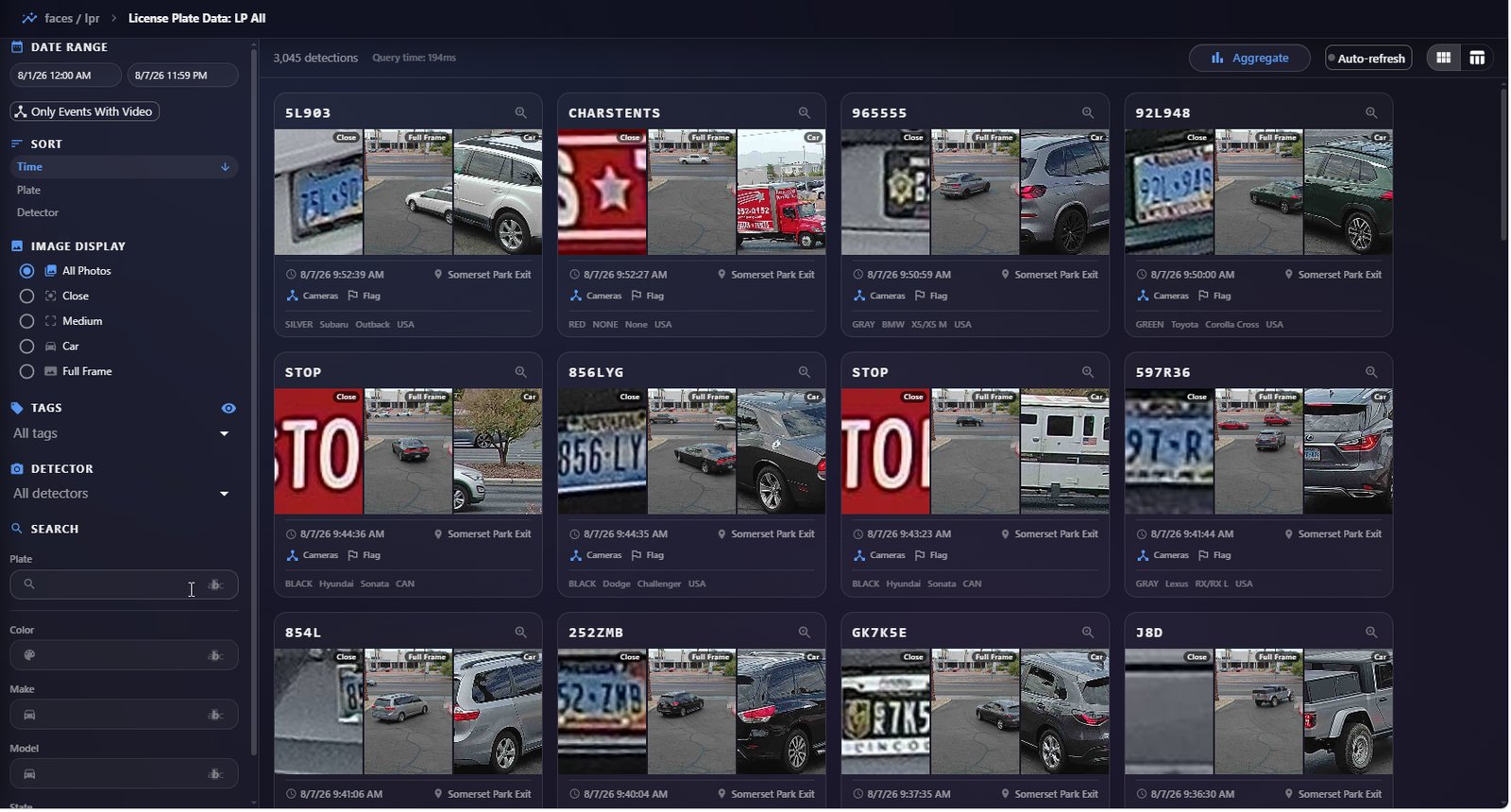
- Vehicles: the plate crop and scene arrive with the alert, similar-plate matching so a misread does not break the chain, and people to plate associations in both directions.
- Working a case: detach a case onto a second screen, a full activity log, and the ability to correct the record by removing a bad detection.
- Running the floor: alerts in seconds from one unified engine (desktop and browser), a deeper casino suite, faster POS grids with event scoring, 2D/3D site maps with a time scrubber, and video with recognized faces marked on snapshots.
- Trust and uptime: delegated administration, reviewable permission changes, reportable usage and audit tracking, and a hardened build with a test gate in front of every release.
- For whoever runs it: nothing to install for occasional users, point and go setup that handles self-signed certificates, and layouts that stick per user.
See Version 11 in action
Eight short clips recorded in the new client. Each one plays right here on the page.
Overview
eConnect 11 is a ground-up redesign built as one client for the desktop and the browser. This short tour walks through every module in the new navigator.
Homescreen / Dashboard
The home screen carries live widgets that re-run their own queries every time a user opens it. Pin a chart here and it stays current on its own.
AI Assistant
Ask your data a question in plain English and get a chart you can click into.
Semantic Search
Describe the person or the moment being searched for, in plain language, and semantic search finds it.
Search by Face
The faces module tracks enrollments, detections, tags and priority for every subject, with similar-face suggestions built in.
Advanced LPR
Every plate read arrives with its close crop and the full scene, tied to the same identity as the face on the floor.
POS
Point of sale employee events now load in faster grids, each one scored automatically.
Tito Data
Ticket in and ticket out data sits beside every other module in the same navigator.
EC11 See More, Know More, Do More, Make More
eConnect 11 installs alongside what you run today. Your existing Windows client keeps working, so there is no cutover weekend. Move teams across as they are ready.